Features
One Platform. Everything You Need.
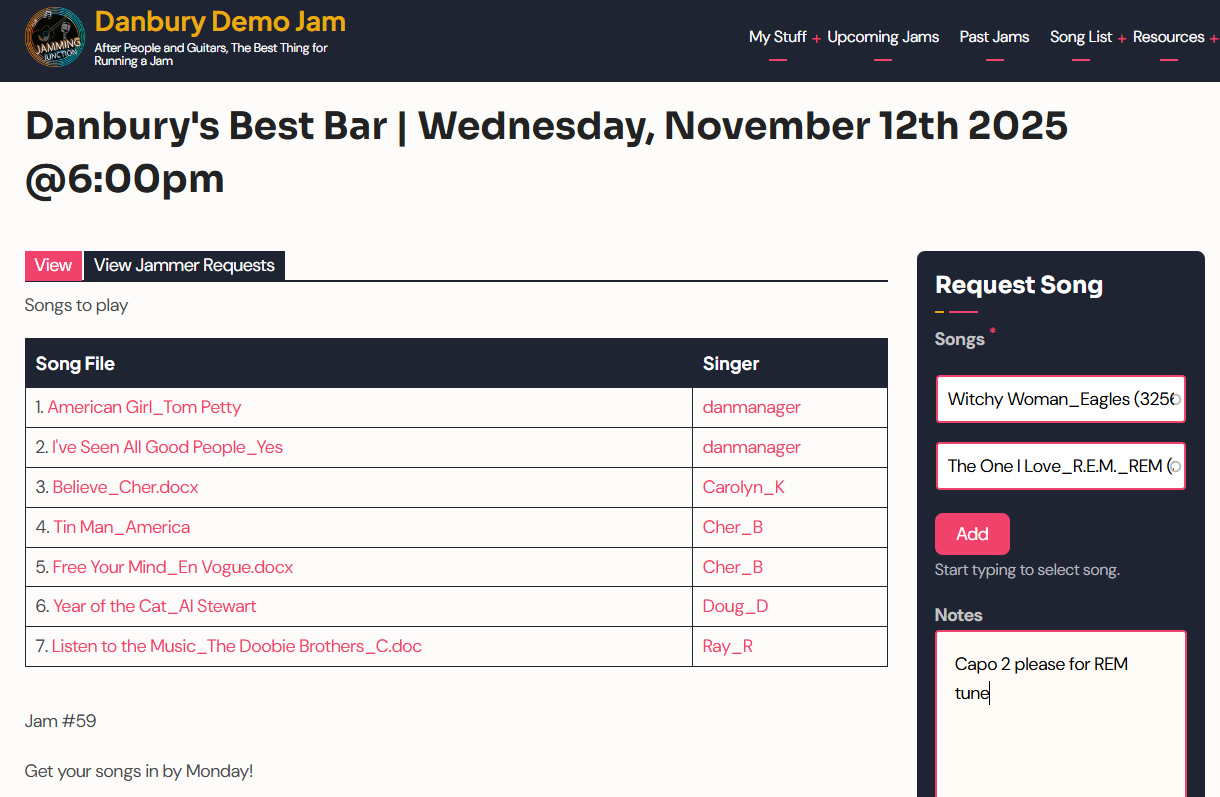
Right now you’re probably running charts through one app, scheduling in another, coordinating over group texts, and scribbling setlists on whatever’s handy. Jamming Junction folds all of it into one system built only for jam sessions.
What’s Inside the Platform
Four things you’re juggling across separate apps live in one place here: song charts, scheduling, messaging, and setlist building. No more switching tabs. No more details buried in a text thread.
Count it off and play it through
everyone on the same page
Each dot marks a chord change.
01
Song Chart Library
We’ve pre-loaded 5,000+ songs in our dotted notation format. You see dots above the lyrics. Each dot marks a chord change, so you catch the timing without reading sheet music or decoding tab numbers. Everyone works from the same reference, which means no more “what key are we in?” holding up the room. Jump in from the first note.
02
Collaborative Setlist Builder
Build the setlist with your jammers before anyone shows up. Same songs, same order, same charts for the whole group. No crumpled printouts. No “did you see my text about the song order?” See how Jam Organizers use this tool to keep sessions flowing.
03
Group Messaging and Scheduling
Set your recurring dates and send one message to everyone. Players request songs, note their preferences on keys or capos, and confirm they’re coming. It takes over the job the group text keeps failing at, where half the details get lost and someone always misses the update. See how players get a clear schedule to lean on.
Why Integration Matters
When your charts, calendar, and messages live in three places, things slip. Someone shows up not knowing the setlist. A key preference gets lost. A scheduling conflict surfaces the day of. One platform gives you one source of truth. Everyone stays in sync from planning to the last song.
What You Replace
A typical jam runs on a stack of separate tools: one for tabs, one for practice, a social app for finding players, and manual notes for scheduling. Jamming Junction brings those pieces into a single system built around how jams work.
Tab apps
Practice apps
Social apps for finding players
Manual scheduling notes
Group texts
Crumpled printouts
Feature Questions
How is dotted notation different from tabs or sheet music?
Dotted notation puts simple dots above the lyrics. Each dot marks where the chord changes, so you follow the timing without reading standard notation or working out tab numbers. Everyone sees the same reference, so the “what key?” question stops slowing things down.
Can I add my own songs to the library?
Yes. You can upload your own songs and charts to your jam’s library. The 5,000+ pre-loaded songs are a starting point, not a limit.
Does everyone need an account?
Yes. Each musician makes a free account to reach the song library, see the setlist, and join the group messaging. Jam Organizers pick a plan that fits their jam size.
What if my jam uses a different notation system?
Dotted notation works for players of every skill level, no music theory required. If your group prefers another format, you can upload custom charts in whatever notation you use.
How does scheduling work for irregular jams?
Set a one-time session or a recurring date. The platform sends reminders and collects RSVPs so you know who’s coming. It takes over the “are we still on for Thursday?” back and forth.
One Platform. Everything You Need.
Musician? Ask your local Jam Organizer whether your group already has a Jamming Junction location.
Read stories from musicians using the platformLearn more about our mission